Response to Log4j and actions to take
A high severity vulnerability (CVE-2021-44228) impacting multiple versions of the Apache Log4j 2 utility was disclosed publicly via the project’s development websites on December 9, 2021. The vulnerability impacts Apache Log4j 2 versions 2.0 to 2.14.1. While our Cablecast software directly doesn't have any Log4j exploitable code in it, third party utilities that were originally shipped on your server may have this exploit within it. We're currently working to investigate with the manufacturers to identify if this problem exists, but in the meantime, are providing this documentation on how to remove any software that might have the exploit as a precautionary measure.
Software to be uninstalled
The software on Cablecast Automation servers that have RAID technology may be an avenue for having the exploit within it. We're going to walk you through identifying which piece of software exists on your system(s) and how to uninstall it. Depending on which server you have will depend on which piece of software to uninstall. Here's a guideline on how to determine what you need to find and remove:
VIO Servers
MegaRaid Storage Manager
Flex Servers
Adaptec MaxView Storage
SX Servers
3ware Disk Management
Legacy
Atto
VOD Servers: Depending on the era the server was manufactuered, it could have any one of those three listed providers. Its suggested you check for each. Non-Raid Server Variants: Although some systems may not have raid functionality (VIO Lite, VOD-Lite, Flex Lite), it should still be checked if the mentioned management solutions exist, and uninstalled if present.
3ware Disk Management
Find WinAVAlarm in your task tray (If present), right click and "Exit"
Click the "Windows" icon in the taskbar (or press the windows key) and search for "Add or Remove Programs"
Find or search for "3ware" in the "App & Features" window
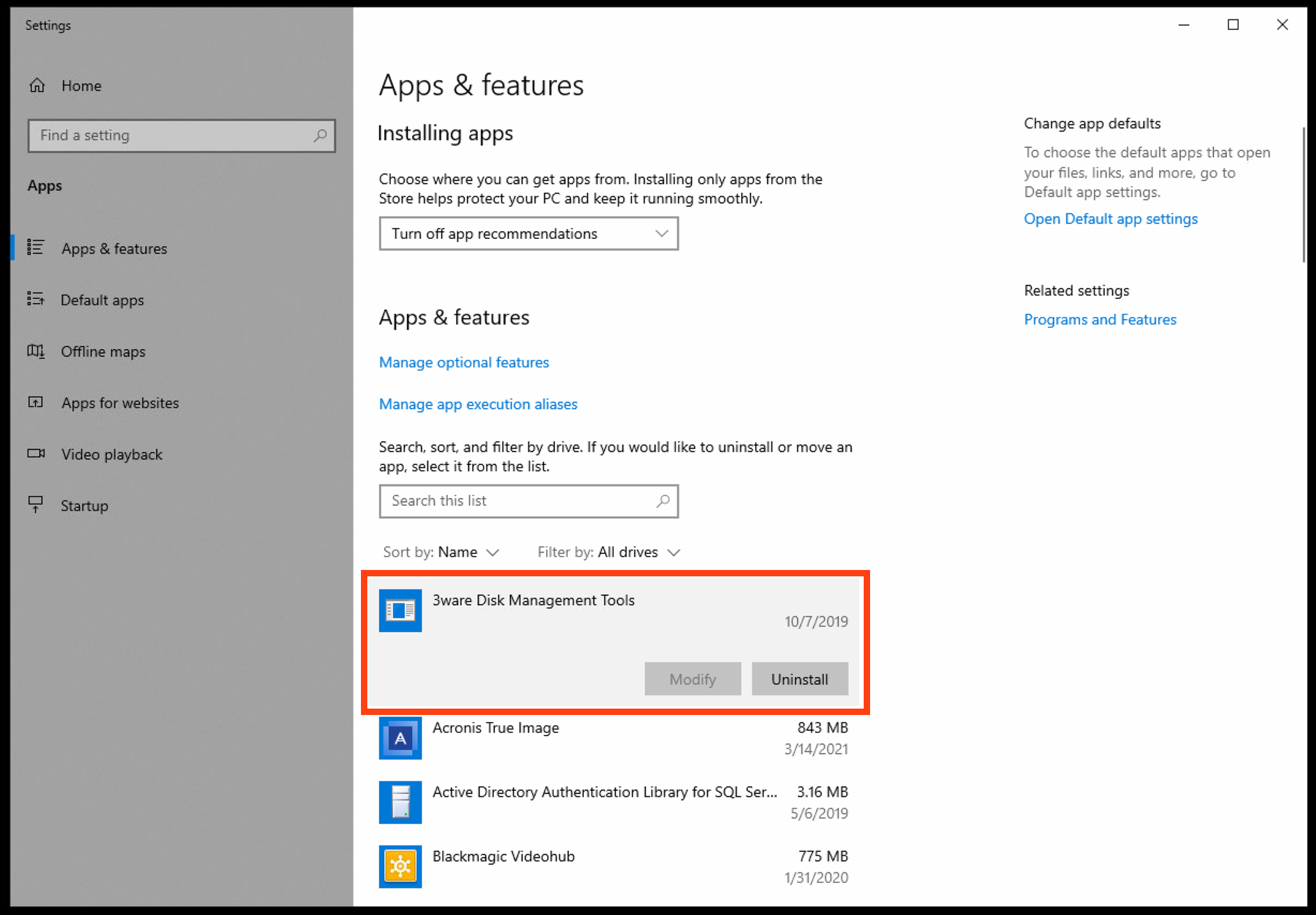
Locate 3ware Disk Management tools and click "Uninstall"
In the uninstaller, ensure all checkboxes are selected under "Features to uninstall"
Continue through the steps to uninstall
If successful, you should see "The InstallShield Wizard has successfully uninstalled 3ware Disk Management Tools.". To truly discover if the software has been removed, you can navigate to "C:\Program Files" and ensure no "3ware" folder exists. If it does, this is okay as anything left behind is harmless, but you may safely manually delete the folder to remove any remaining artifacts. Alternatively to uninstall, navigate to "C:\Program Files\3ware\_uninst" and run "uninstaller.exe"
Adaptec MaxView Storage
Click the "Windows" icon in the taskbar (or press the windows key) and search for "Add or Remove Programs"
Find or search for "maxView" in the "App & Features" window
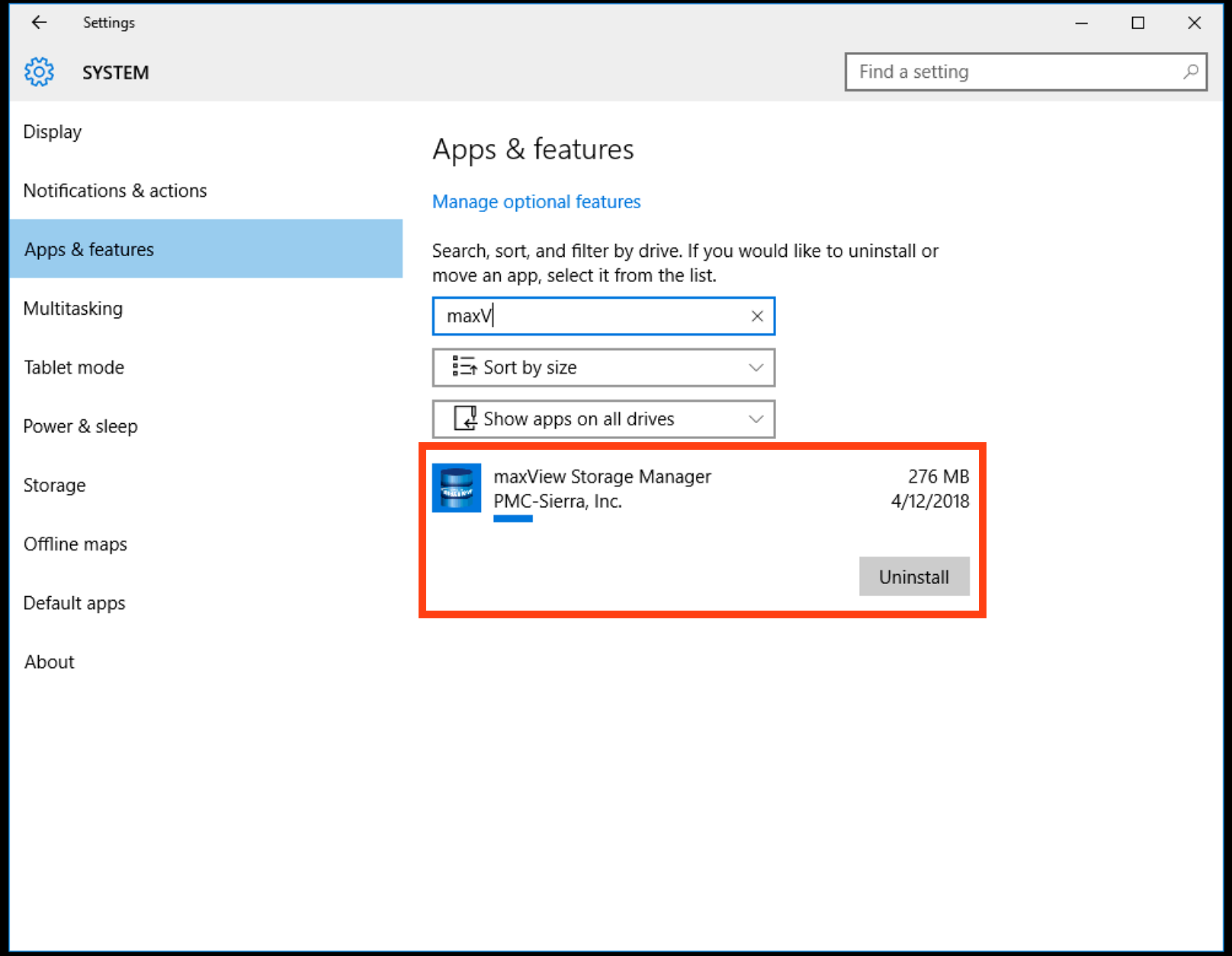
Click Uninstall
Click "No when confirming to remove all configuration files (These are safe to keep)
Upon uninstallation, "maxView Storage manager" Will still exist (C:\Program Files\Adaptec\maxView Storage Manager) in your program files folder, however all files & logs left behind are safe as the (potentially exploitable) JDE files have been removed.
MegaRaid Storage Manager
Click the "Windows" icon in the taskbar (or press the windows key) and search for "Add or Remove Programs"
Find or search for "Megaraid" in the "App & Features" window
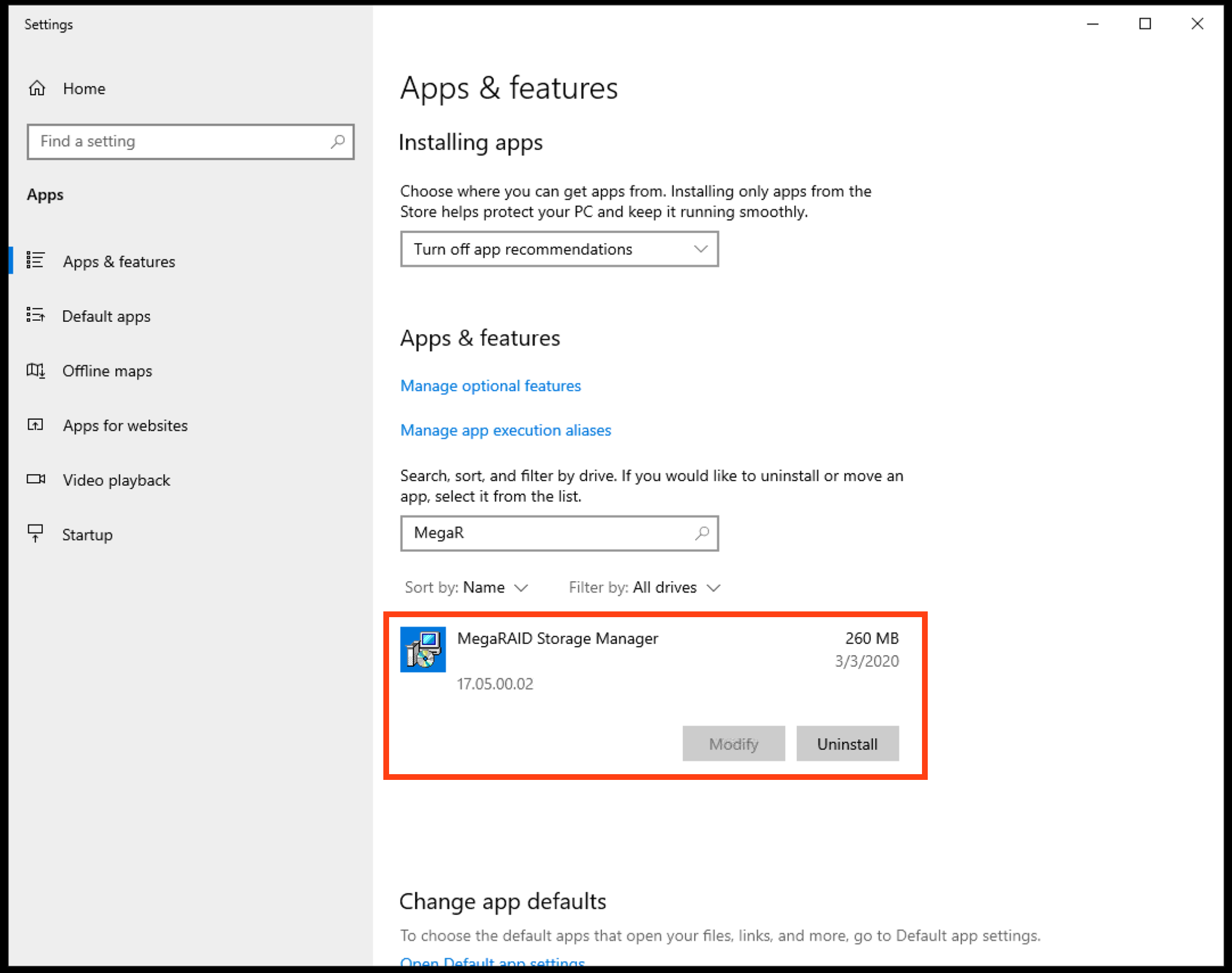
Click "Uninstall"
There are no prompts to confirm, after a moment, the uninstallation process should complete
If there are errors, review the errors and take the appropriate actions. Reach out if you're unable to find a solution to any potential errors.
Atto
Some much older systems use a Raid technology called Atto, Its unlikely, but if you're still running hardware that is a SX Server or older, you might have Atto Raid.
Click the "Windows" icon in the taskbar (or press the windows key) and search for "Add or Remove Programs"
Find "Atto" in the "Add & Remove Programs" window.
Proceed with the steps to uninstall Atto from the system
FAQ: How will I manage RAID without software?
This is likely a temporary measure to mitigate any potential vulnerabilities on your system while we wait for manufacturers to patch this exploit, or to confirm if the exploit exists in their software. In the meantime, if management of the RAID drives is needed, our support department will be able to assist with performing raid maintenance.
Non-Factory original software
Any software that was installed on your system by you, your dealer or installer, that is not original to the factory image of the device is up to you to determine if such a exploit exists. If something you installed on the system can be externally accessed with a login, then there is potential for a exploit. Its recommended you review any software you may have installed. If the software installed is not accessible outside your network, you're likely safe. This can include software (but not limited to):
Firewall Management
Cloud Backup Solutions
Network Backup Solutions
Enterprise Computer Management Solutions
